
How to retain students with personalized AI lessons in Langlisto
Help students enjoy lessons, see their progress and keep learning. A practical guide to personalized lessons, AI prompts and building a sustainable tutoring practice.
“I need English for work,” a student says in their first lesson. A month later, return to that sentence: what can they now do in English for their actual job? Write to a colleague, explain a task or talk about a project? Those answers make the value of your lessons tangible and give the student a reason to come back.
As a tutor, you need to help students move towards their goals while finding time to prepare. Here is how to make lessons more personal and purposeful, use the Langlisto AI agent for part of the preparation, and connect this approach to trial lessons, continued learning and your income.
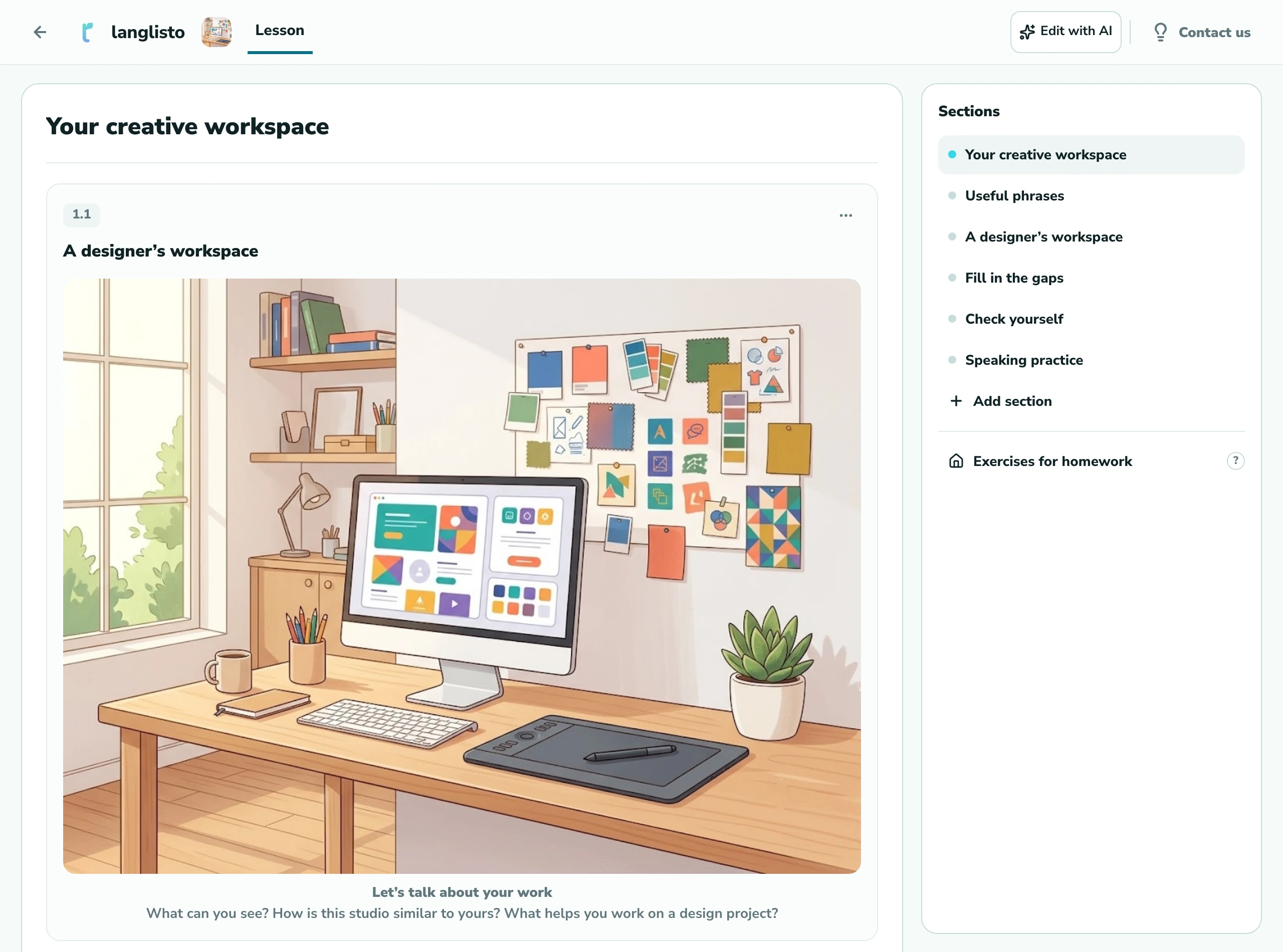
Our example student, Lena, is fictional. She is a designer with B1 English who is preparing for a job interview. She struggles to talk about her projects: she knows enough words, but her answers are brief. We used the Langlisto agent to prepare material for this learning goal. The screenshots show real conversations and a lesson created in a test account.
What makes students want to come back?
Look at a lesson through Lena’s eyes. She wants to understand an interviewer’s questions, answer without freezing and explain the value of her work. An activity becomes meaningful when it helps her handle one of those situations.
- A clear purpose. Before starting an activity, the student understands why they are practising a skill and where they can use it.
- The right level of challenge. There is an achievable task, a small step up and some support when an answer is still difficult.
- Personal context. Examples draw on the student’s work, plans and interests, giving them something they want to talk about.
- Supportive feedback. They can discuss a mistake, try again and notice an improvement.
- Visible progress. By the end of the lesson, they can name something specific they managed to do.
Start with a short conversation: “When will you need the language in the near future? What feels hardest right now? What would you like to be able to do after our lessons?” Their answers can guide both your material and your discussion about continuing to learn.
Personalize a lesson: from a goal to an activity
For Lena, one lesson goal could be to describe her experience and one project, then answer a follow-up question. That is specific enough to guide your choice of material and check the result at the end.
- Warm-up: ask Lena to choose a project she is proud of and briefly explain why.
- Useful phrases: explore I worked on…, My role was to… and We improved…, adding details from her own work.
- Practice: complete a short description of a project and discuss the choice of past tense.
- Speaking task: build her own answer around “the situation → my role → the result”.
- Final check: repeat the answer with fewer prompts and respond to a new question.
The same approach works for other goals: ordering food while travelling, discussing a favourite game or preparing a presentation. Start with something the person needs to do, then choose vocabulary, grammar and practice activities. Their interests help you choose the context; the teaching sequence remains your responsibility.
Prepare a personalized lesson with the Langlisto AI agent
Once you understand the student’s goal, the AI agent can help turn it into teaching material. In Langlisto, describe the goal, level and content you need. The assistant proposes a plan and, after your confirmation, creates lessons, sections and exercises. You can edit the resulting material by hand.
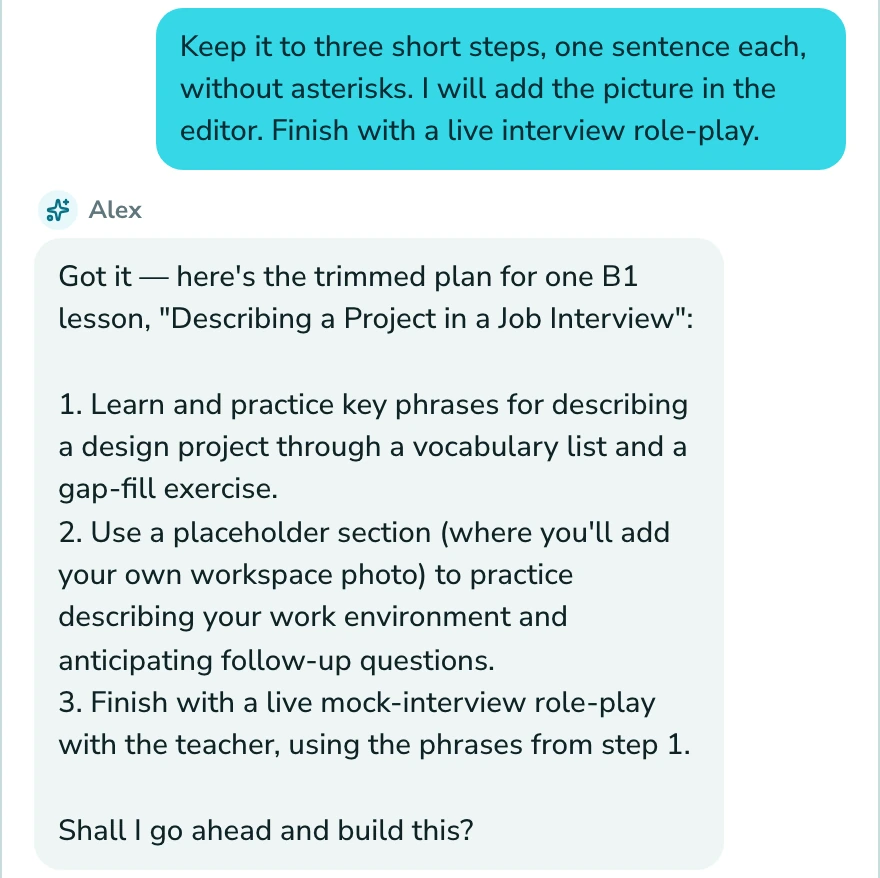
A clear brief makes it easier to judge the proposed plan. For this example, you could write:
Prepare an English lesson for an adult B1 student. She is a designer getting ready for a job interview. The goal is to describe her experience and one project, then answer a follow-up question. She understands questions but gives short answers and struggles with past tenses. Include useful phrases, a gap-fill exercise and speaking practice. Provide support for her answers and a final task that shows what she can do. Suggest a plan first.
Example prompt for the AI agent
Check whether the activities lead towards your goal. If the plan is too general, ask for more professional context. If it is too difficult, reduce the vocabulary and request a model answer. Once you agree on the plan, ask the agent to create the material, then check the wording, correct answers and level of difficulty.
Learning context is enough for this prompt. You do not need the student’s name, contact details or confidential information about their employer. Their profession, level, goal and typical difficulties give you plenty to work with.
An image that starts a conversation
For Lena, we asked the agent to generate a cover showing a designer’s workspace, then added it to the lesson as an image exercise with questions. You can also create a separate illustration in the editor: open the image picker, choose “Generate” and describe the scene. We specified a bright studio, a monitor showing layouts, a graphics tablet and a mood board.
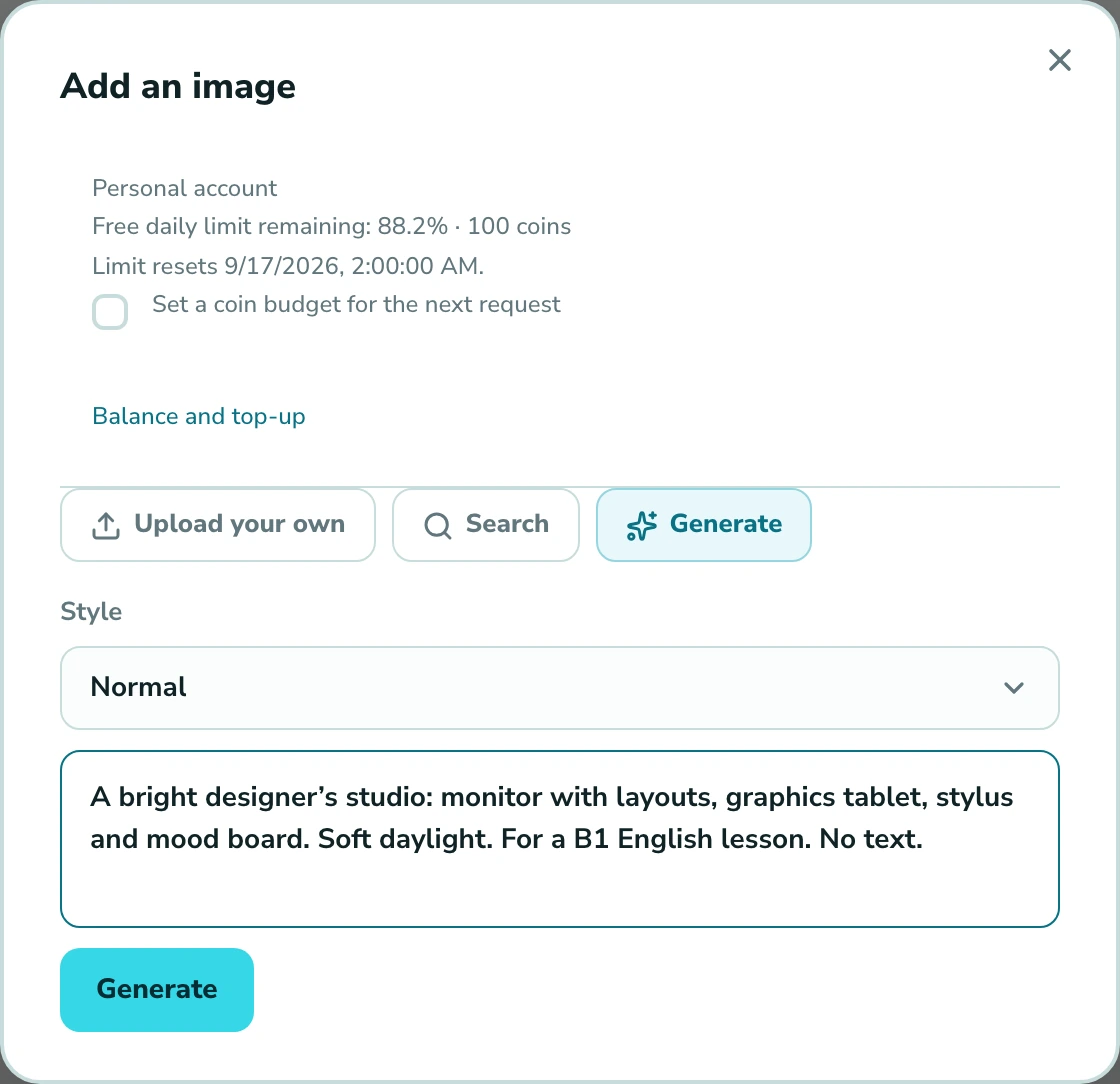
The picture gives the student a starting point for talking about familiar work. Ask them to describe the objects, compare the studio with their own workspace and explain which tools they need for a project. Before the lesson, check the details in the image and the questions: both should support the conversation and suit the student’s level.
Adapt an existing exercise to the student
Sometimes you already have a suitable lesson and only need to update one part. The Langlisto exercise editor has its own AI generation feature: describe the content for the selected exercise format, review the result and save it.
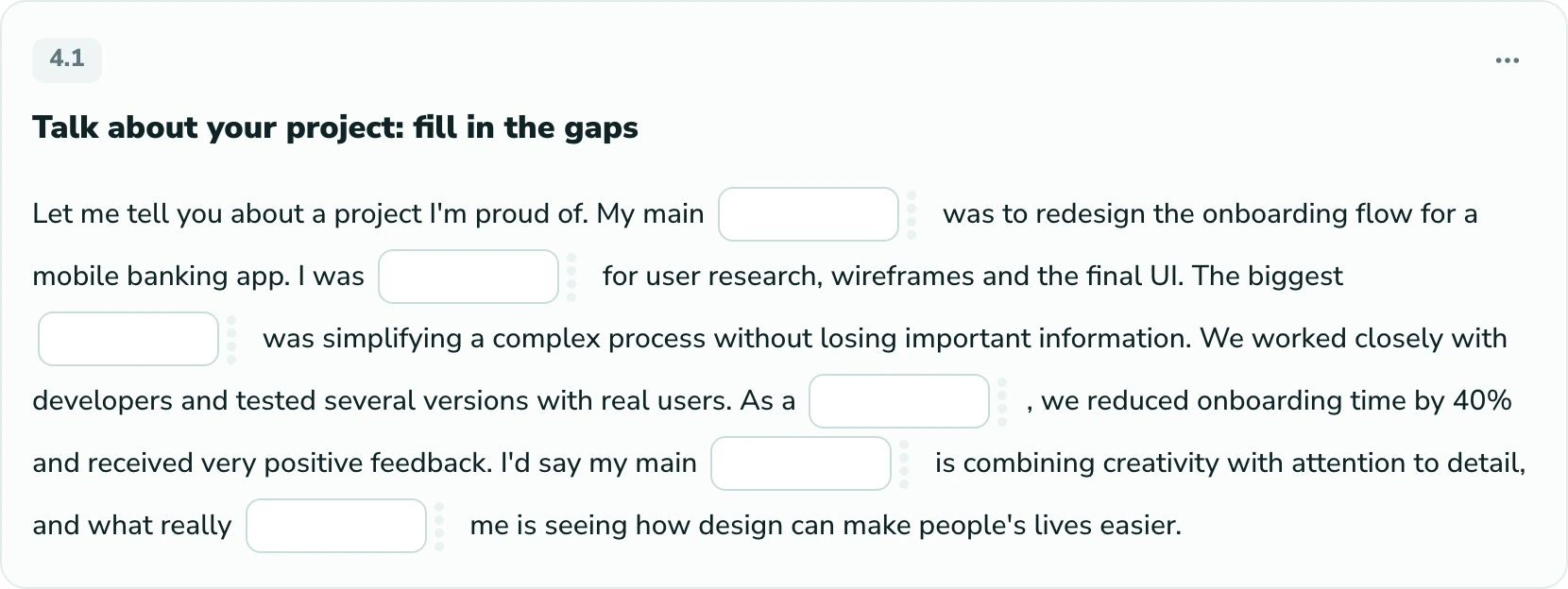
For a gap-fill exercise, try: “Write a short account of a designer’s completed project. Level B1, practising the Past Simple. Include discussing the brief, working with a team and presenting the result.” Then ask the student to replace the details with their own and say the story aloud.
When reviewing it, ask yourself: is the vocabulary suitable for this person? Are any answers ambiguous? Could they use these expressions outside the exercise? Generation gives you a draft. You decide what belongs in the lesson.
What to show in a trial lesson
A trial lesson is a chance to get to know each other, clarify a goal and let the student experience your teaching. For Lena, that might mean answering “Tell me about yourself”: first without preparation, then with useful phrases and your feedback.
Compare the two attempts at the end. What ideas did she manage to add? Where did she need fewer prompts? What still made answering difficult? Even a small, observable improvement can help explain what you will work on next.
Today you managed to give a clear account of your role in the project. Next, we will practise follow-up questions and explaining difficult decisions. We will choose material around the situations that come up in your interviews.
Example feedback after a trial lesson
Explain how lessons will work, where the student can find material and homework, and how you will discuss progress. Continuing becomes easier to understand when the person can see the next steps and connect them to their own goal.
Help students notice progress and keep learning
Leave time at the end to ask, “What can you do better now?” Return to the original goal and name an observable change. For Lena, that could be a more detailed account of a project or an independent answer to a question that previously stopped her.
Homework can follow the same thread: prepare a description of another project using phrases from the lesson. Next time, discuss where the support helped and where more practice was needed. If an activity was too difficult or uninteresting, use that feedback to adjust the next lesson.
Revisit the goal together from time to time. After the interview, Lena may need to join work meetings, discuss revisions or write messages to her team. If she has achieved her original goal and does not currently need more lessons, that is also a successful learning outcome.
How this relates to your tutoring income
There are several connections to selling lessons. In a trial session, you show how you approach a specific need. During the course, you discuss what the student has achieved and what comes next. When recommending you, the student can explain to a friend exactly how your lessons helped.
Preparing with AI may reduce some repetitive work. To assess the effect for yourself, include the time spent writing prompts, reviewing results and making changes, then compare it with your usual preparation for a similar lesson. Time saved does not automatically become extra revenue: you may use it for teaching, developing your practice or resting.
A platform cannot guarantee higher income or that every student will continue. Learning outcomes, the relationship with the tutor, price, scheduling and personal circumstances all affect that decision. Personalized material helps make the value of your work specific and visible.
Start with one student, one goal and one lesson
- Choose a student and clarify a situation in which they will soon need the language.
- Describe their level, goal and difficulties to the agent. Ask for a plan first.
- Agree on a structure, create the material and check every activity.
- Teach the lesson and return to the original goal at the end. Discuss what worked.
- Ask what was useful and what should change. Use the answer to prepare the next lesson.
To assess changes in your practice, track preparation time, the move from a trial to the next lesson, and reasons for ending tuition. A few observations can suggest questions to investigate. Assess any increase in sales using accumulated data, taking seasonality and price changes into account.
Questions about personalized lessons with AI
Do I need a new course for every student?
Start by adapting a single activity or lesson. Keep a suitable structure, then choose a topic, examples and final practice around the student’s goal. Langlisto has an agent for working on material and separate exercise generation in the editor.
What should I tell the AI to get a personalized lesson?
Include the level, learning goal, situation where the language will be used, typical difficulties and exercise formats you need. Add a clear outcome: for example, the student should be able to describe a project and answer a follow-up question. Start by asking for a plan.
Can I teach a lesson as soon as it has been generated?
Review the content, answers, difficulty and sequence before teaching. AI can make mistakes or suggest material that does not suit a particular student. You can edit generated material by hand in Langlisto.
Will Langlisto help me sell more lessons?
Langlisto helps you prepare material and organize lessons. A personalized lesson lets you demonstrate your approach in a trial and discuss future work through concrete examples. Sales depend on many factors, so assess the results using data from your own practice.
we'll help you move your materials
