
How to switch teaching platforms without losing your materials
Step by step: what to take with you, how courses and lessons get moved over, what happens to student progress, and who to ask when your platform is not on the list.
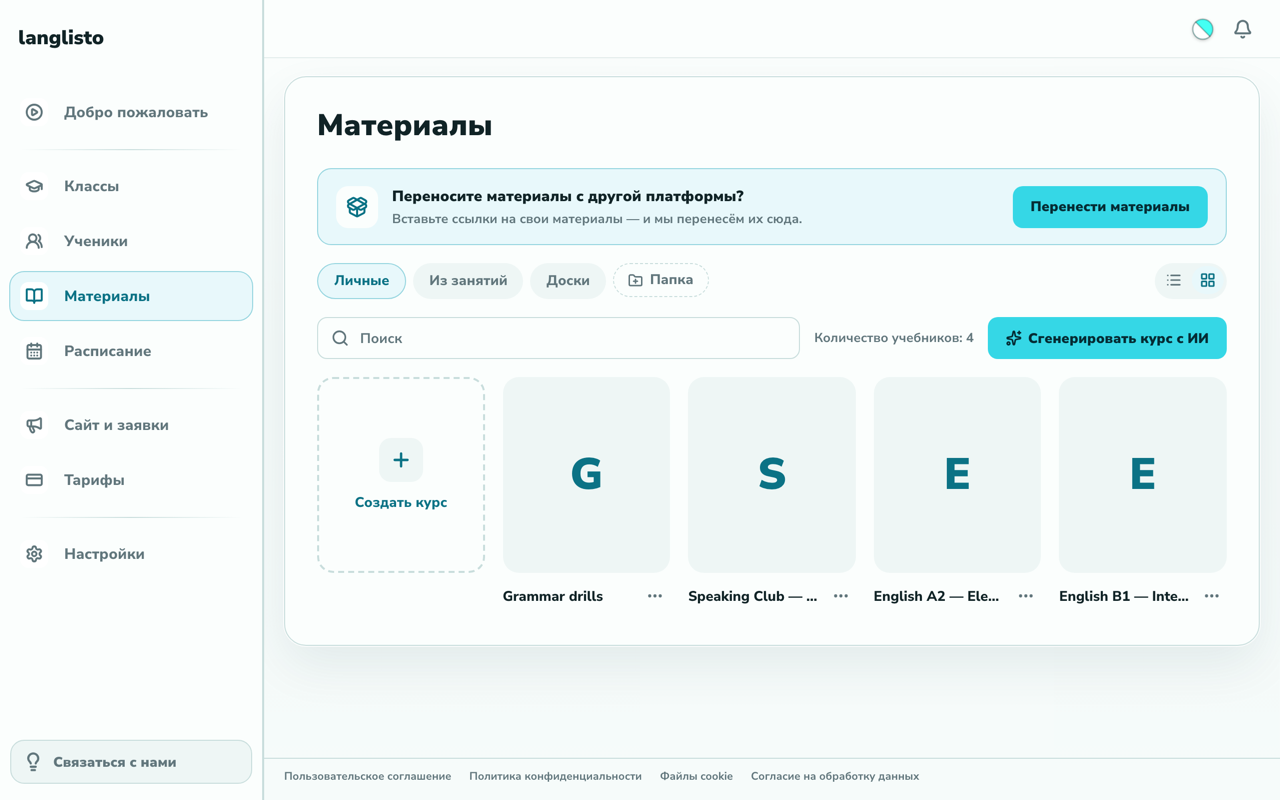
Changing platforms is rarely about the interface. It is about the materials: after a couple of years of teaching there are so many that "rebuild everything from scratch" closes the discussion before it starts. Here is what the move actually looks like — what happens on its own, what a person does for you, and where it is faster to ask than to guess.
What actually needs to move
It helps to start with a list rather than with a platform. The list is usually the same:
- Courses and coursebooks — the structure, the lessons, the order of topics
- The exercises inside them — quizzes, gap-fills, matching, audio and video
- Handouts that never lived on a platform: PDFs, slide decks, documents, scans
- Student progress — what is done, what is submitted, where everyone stopped
- The students themselves — they need an invitation to the new place
Each line closes in its own way, and almost none of them means copying anything by hand.
Step 1. Materials
This is the biggest part and also the fastest one. In langlisto the transfer starts right inside your account: the Materials tab → "Leave a request". No lists and no settings: one field, where you paste the links to your own materials — the ones the platform gives you behind its "Share" button, one per line.
Open a material on the old platform, hit "Share", copy the link and paste it here; several links at once are fine, one per line. You do not have to say where you are moving from — langlisto works that out from the link itself.
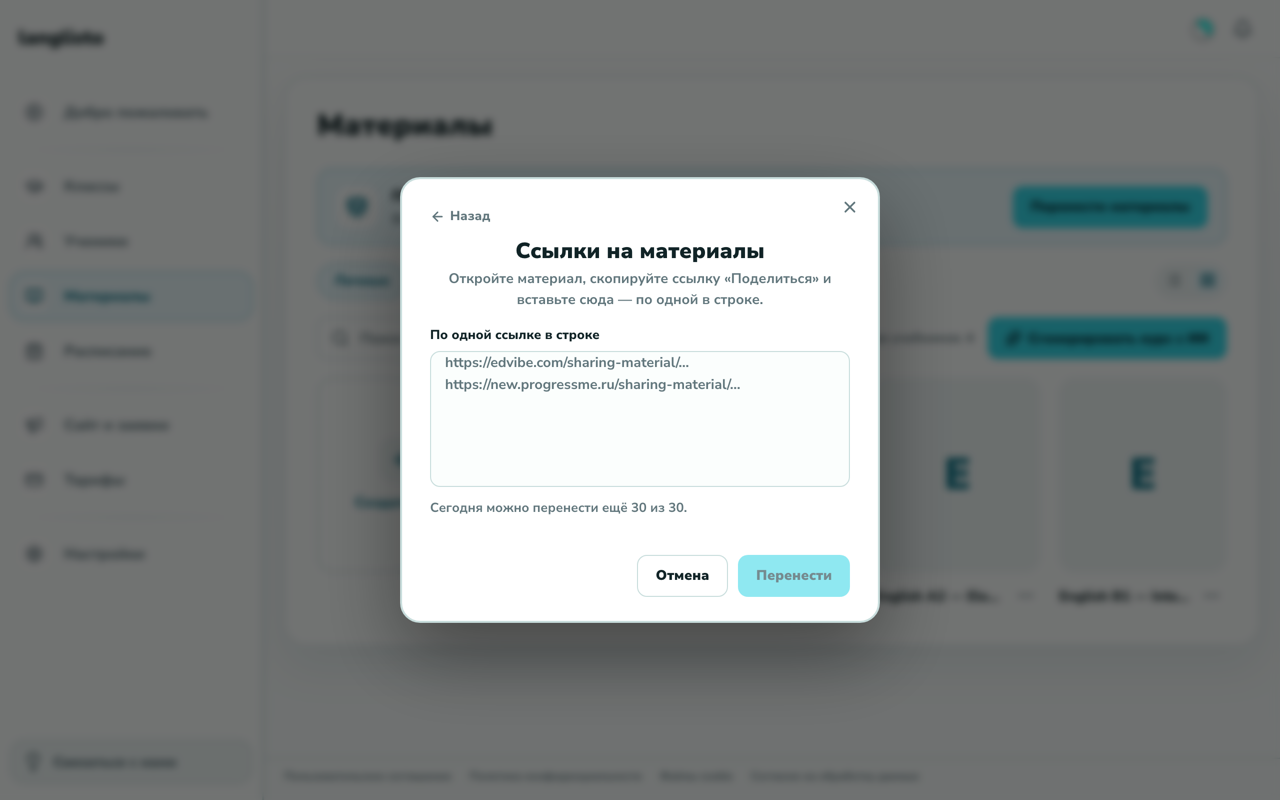
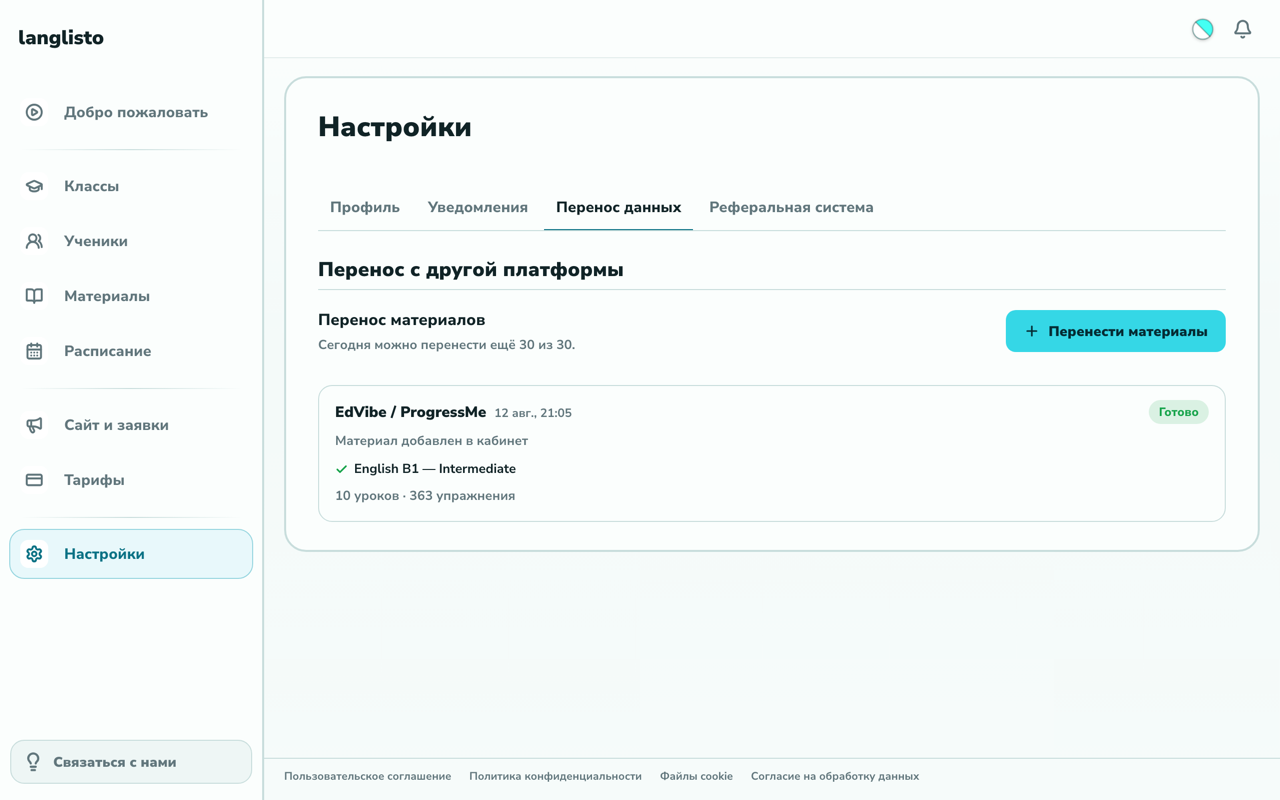
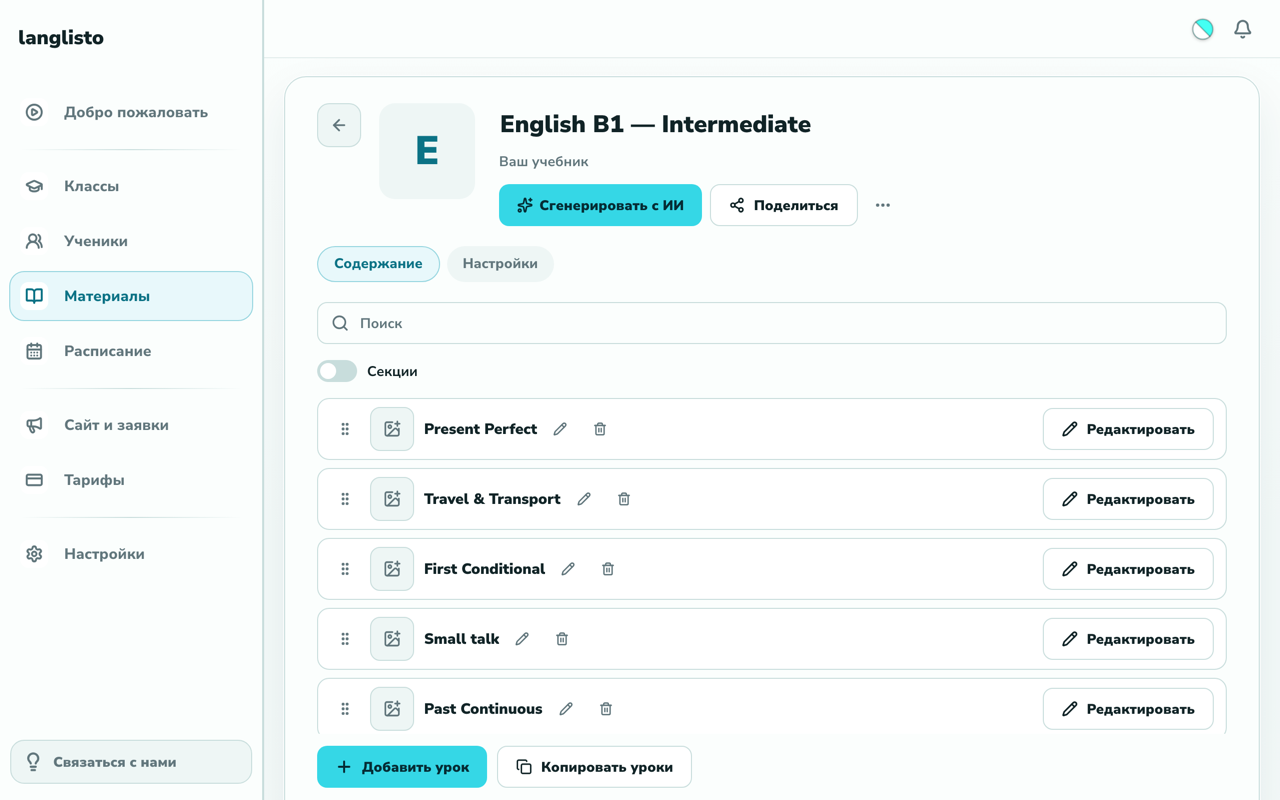
From there langlisto takes the material apart on its own: lessons and the exercises inside them are recognised by type and land in your library still editable, not as flat pictures. You can follow the run and its result in Settings → "Data transfer".
Step 2. When your platform is not on the list
Not every platform transfers by button. If yours does not, langlisto says so right there in the request window and offers to put you in touch — materials from Vznaniya (Взнания) and other platforms are moved by a person on our team. Tell us where you are moving from, add links or access, and we will look at the volume and give you the timing.
Step 3. Materials that live on no platform at all
For many teachers half the work sits outside any platform: PDF handouts, Word files, slide decks, scanned coursebook pages, a folder of images. Those move too — the files are turned into real lessons with real exercises, not an attachment a student downloads and fills in on paper. Start with a question to support here as well: show a couple of files and we will tell you what they will become.
Step 4. Student progress
We do move progress — and this is the case where writing to support beats hunting for a button: completed lessons, submitted work and their statuses belong to specific students, and moving them blindly is not something to improvise. Tell us whose history matters and it comes across together with the materials.
Step 5. Students
Students are invited by email: you enter the address, they get a letter with a sign-in link. No passwords to invent or pass around — the link drops them straight into their own account. If a student has no email at all (common with younger ones), support can set access up another way — also worth asking.
How long it takes, and no, you do not have to cut over at once
Materials from EdVibe or ProgressMe take minutes — send the links and go back to your day. Everything else depends on volume: support looks at what exactly needs moving and gives you the timing before the work starts.
Cutting over in one day is optional. The usual path is to move the materials, put one group or a couple of students on the new platform and run it in parallel with the old one until you can see that everything is where it should be. The first month is free with full access and no card: that covers the transfer and the parallel run, and you decide from your own experience after that.
Common questions about moving over
Can materials be moved from EdVibe automatically?
Yes. In your account: Materials → "Move materials" → paste the "Share" links to your materials. Lessons and exercises arrive on their own and stay editable.
Are EdVibe and ProgressMe different platforms?
No, they are the same product under two names. That is why the transfer window shows them as one button and handles both kinds of links the same way.
Do you move materials from Vznaniya?
Yes, though not by a button: write to support, say where you are moving from and what you need to keep. We look at the volume and name the timing. Other platforms that are not on the list work the same way.
Is student progress preserved?
We move progress on request through support — tell us whose history matters and it comes across together with the materials.
What if my materials are PDFs and Word files?
Those move too: the files are turned into lessons with exercises. Show support a couple of examples and we will tell you what they will become.
What if my case is not in this list?
Ask. Support answers on Telegram and by email, and "can you move this?" is the most ordinary question it gets.
The short version: materials from EdVibe and ProgressMe you move yourself in minutes; everything else — Vznaniya, other platforms, PDF archives and student progress — goes through support, and that is the normal route rather than the fallback. Start with a single course: move it, look at how it reads from the inside, then decide about the rest.
we'll help you move your materials
