
An EdVibe and ProgressMe alternative: how langlisto is different
A straight comparison for teachers looking to switch: why they leave EdVibe and ProgressMe, what langlisto offers instead, and how to bring your materials over without rebuilding them.
Nobody shops for an alternative out of curiosity. By that point something has usually piled up: the lesson stutters in front of a student, the feature promised last year still is not there, and the email to support goes unanswered. Here is why teachers leave EdVibe and ProgressMe — the same platform under two names — and what langlisto offers instead.
What people say when they move over
We talk to everyone who brings materials across, and the same complaints keep coming back:
- The platform lags and freezes — and it looks worst mid-lesson, in front of a student
- The product stands still: the same rough edges year after year, and the features you need never arrive
- The connection drops during class, audio and video cut out mid-explanation
- Support answers slowly or not at all — it feels like nobody is working on the product anymore
That last one shows up in small things rather than announcements: bugs left unfixed for years, tickets with no reply, silence in response to "will there ever be…". That is the wording we hear most often.
What langlisto does differently
We will not claim perfection — the platform is young and parts of it are being written right now. But three things work fundamentally differently.
1. The product keeps being built, not parked
langlisto is a fresh platform, and that is not just about the visuals. Updates ship regularly, and teachers’ requests reach the product rather than an archive: a good share of what is now in the exercise editor, in homework and in the student vocabulary came out of conversations with people teaching on it every day.
2. Support answers instead of deflecting
Support lives on Telegram, and there is a person on the other end rather than a contact form. The same channel is open from inside the product and from this site — you can write before paying anything, about anything: "can you move this?", "how do I do that?", "this looks like a bug". Answers come quickly, not next week.
3. AI that actually builds the lesson
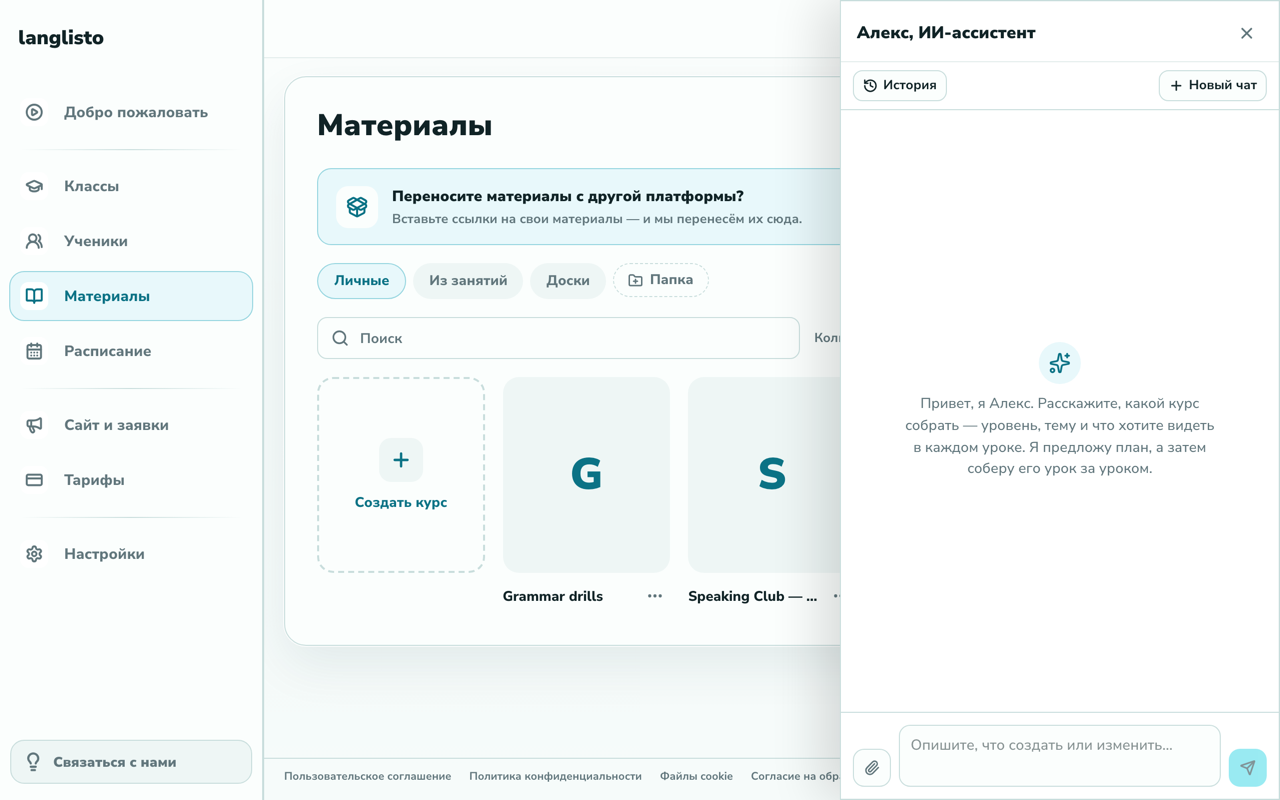
langlisto has Alex, an AI assistant that builds a course from your description: tell it the level, the topic and what each lesson should do, and it proposes a plan and fills the lessons with exercises. A separate "Generate" button lives in every exercise editor: describe the task, get a working draft, then edit by hand. This is not an "AI section coming soon" — it is what people use daily.
And the materials? You will not be retyping those
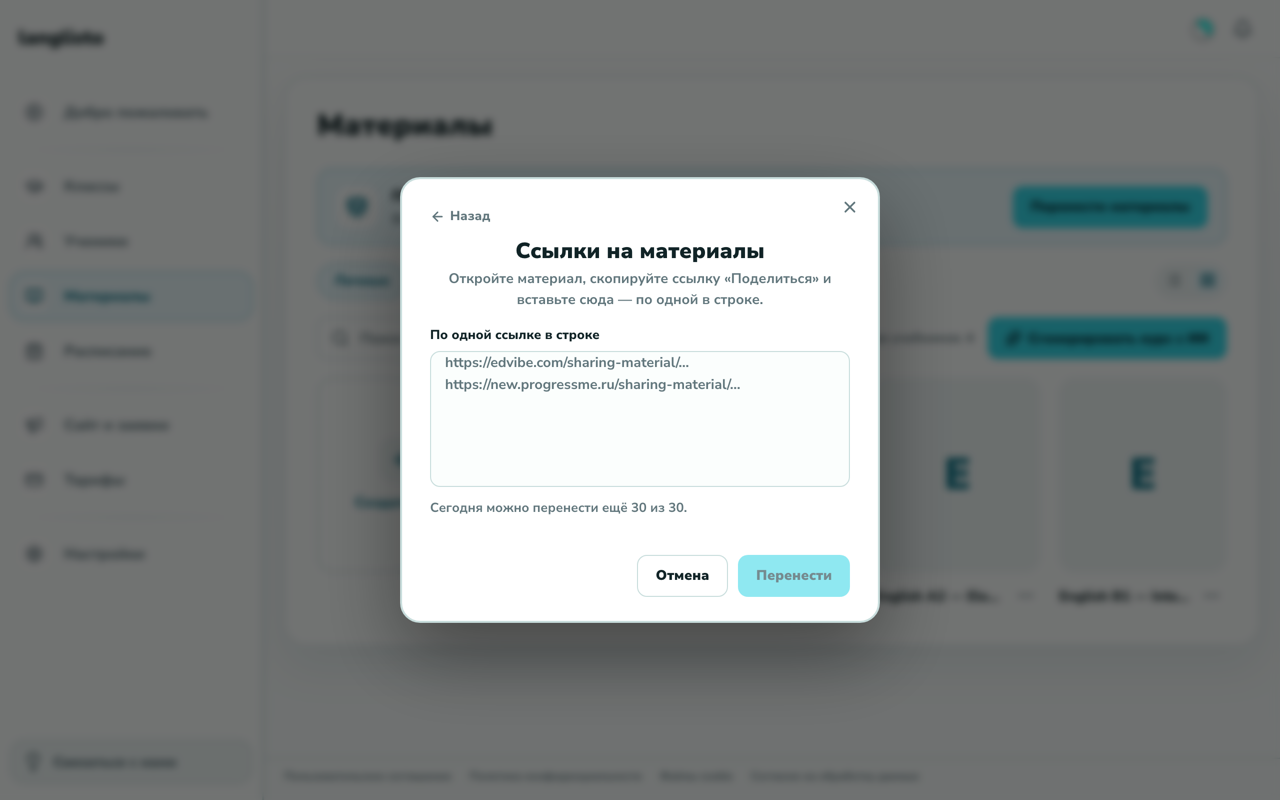
The main reason teachers stay on a platform they dislike is everything they have already built. So the transfer from EdVibe and ProgressMe is automatic: paste the "Share" links to your materials and the lessons and exercises land in your library, still editable. From Vznaniya (Взнания) and other platforms — and from PDFs, slide decks and Word files — support moves them for you; that route is just as ordinary, only it is not a button.
How to actually compare them
The honest way is not to read comparisons but to move one course over and teach a couple of lessons on it. The first month is free with full access and no card, your old platform is not going anywhere, and within a week you will know how it behaves on speed, on support and in a live lesson — far better than any feature list will tell you.
Common questions
Are EdVibe and ProgressMe different platforms?
No, they are the same product under two names. That is why our transfer covers both, and everything above applies to either.
How is langlisto different from EdVibe?
Briefly: the platform keeps shipping updates, support answers fast and as a human, and the AI builds courses and exercises. Plus an automatic transfer of your materials, so leaving does not mean losing what you built.
Can I move my materials from EdVibe or ProgressMe?
Yes, automatically: Materials → "Move materials" → paste the "Share" links. Lessons and exercises arrive editable.
What if I do not teach English?
langlisto is not tied to one language: people teach any language on it, and subjects beyond languages too. The exercise formats stay the same.
What does it cost?
The first month gives full access for free, with no card. That is enough to move your materials and compare the platforms on your own lessons.
What happens to my old platform while I try this one?
Nothing: keep some students there and some here. That is how most people move — one group first, the rest later.
In short: people look for an alternative when the platform stops helping and starts getting in the way. Our bet is on the thing that gets fixed and answers back — a product still being built, support that replies, and AI that removes the busywork. We handle moving your materials, so trying it costs you one evening.
we'll help you move your materials
