
A student's vocabulary: words from lessons that actually stick
How words from lessons collect in My Words — with a picture, a translation and audio — and get drilled in a trainer with six modes. A special bonus for language tutors.
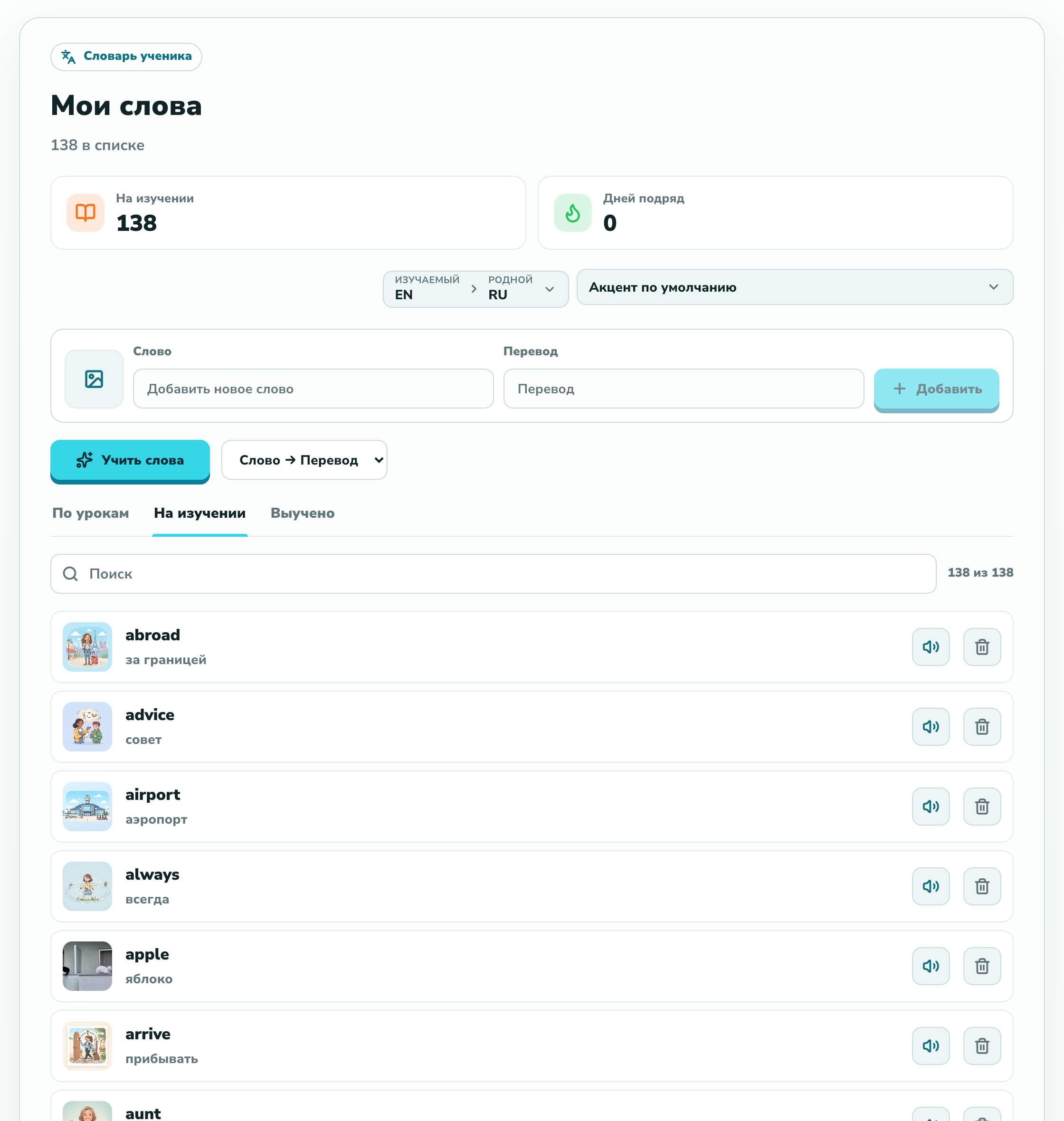
Words from lessons usually scatter across notebooks, notes and screenshots — and get forgotten. In langlisto every student has a personal dictionary, My Words: it fills itself from lessons and turns straight into a trainer. For language tutors that's a real bonus — the habit of learning words is built right into the workspace.
A personal dictionary that fills itself
The words a student meets in lessons land in My Words automatically — no copying into a separate notebook. The same page shows how many words are in progress, the current day streak, and which direction to drill — "word → translation" or the other way round.
A picture, a translation and audio for every word
Every word gets a picture, a translation and native audio — so it sticks through image and sound, not rote repetition. The accent can be matched to the language, and the translation direction flips with one button.
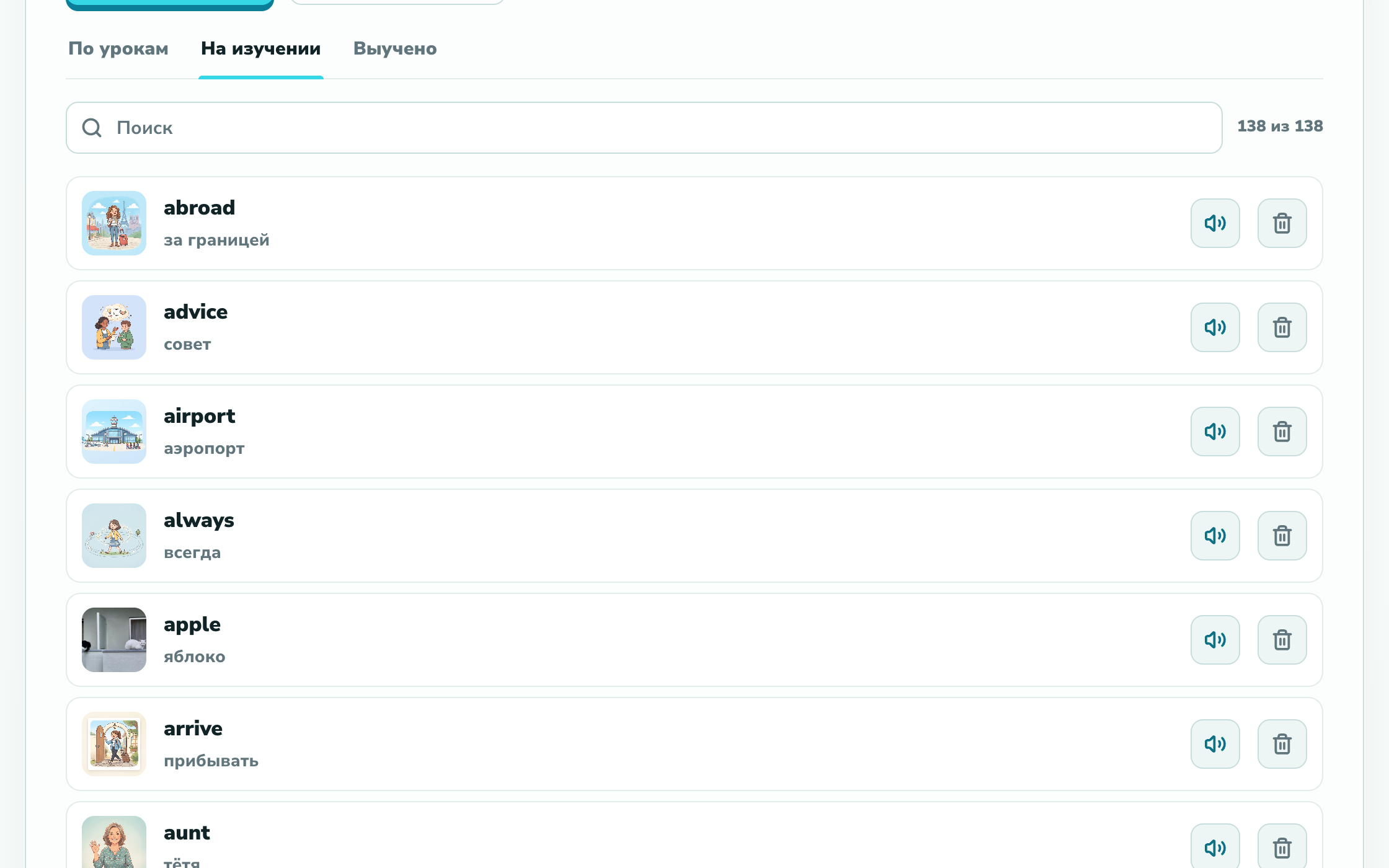
The trainer: six modes
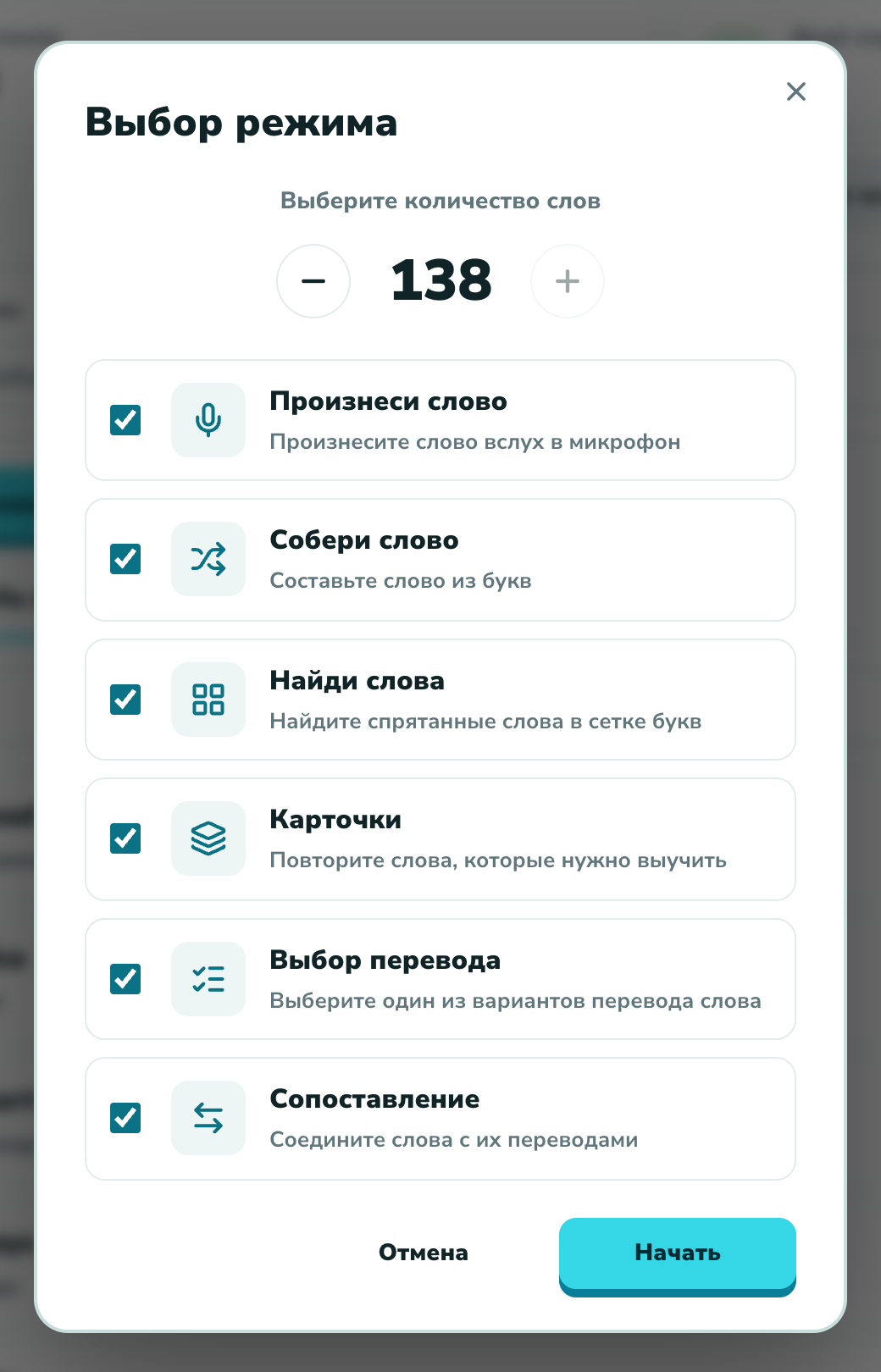
The student taps "Learn words", picks how many words and which modes — and drills. Six modes cover everything, from recognising a translation to saying the word out loud.
- Flashcards — review the words you still need to learn
- Pick the translation — choose the right option out of several
- Matching — connect words with their translations
- Build the word — assemble the word from letters
- Find the words — spot hidden words in a letter grid
- Say the word — speak the word aloud into the mic
Progress on every word
Every word has its own progress: the trainer brings back the ones that are hard, keeps a day streak, and moves mastered words to the "Learned" tab. The student sees they are making progress — and you see who is practising between lessons, and how.
A ready-made word-learning habit — no separate app and no hand-kept lists of yours. The first three months are free and card-free, so there is time to try it on your own students.
we'll help you move your materials
